Tutorials & Guides
Everything you need to use Kleo — how it works, a step-by-step setup guide, and video walkthroughs.
How Kleo works
Everything you need in one app — search, message, book, and review.
Find providers
Search by service, location, and budget. 50+ categories covered.
Chat securely
Message providers without ever sharing your personal number.
Book sessions
Agree on details in-chat. Everything in one thread.
Review & rebook
Rate providers, save favourites, and rebook in seconds.
How It Works
Watch a quick walkthrough of finding, chatting with, and booking a local provider on Kleo.
One app, built for trust on both sides of the conversation.
Set up in 5 minutes
Create a profile and start appearing in local search results the same day.
Built for local trust
Verified profiles and real reviews — clients know who they're booking.
Search
Find providers by service and location.
Book
Agree on details right in the thread.

Premium matches
Smart filtering surfaces the providers who actually fit what you're looking for.
Real accountability
Reviews and ratings stay attached to every provider — no rebuilding a reputation elsewhere.
Chat
Message privately, no number shared.
Review
Rate your experience and rebook fast.
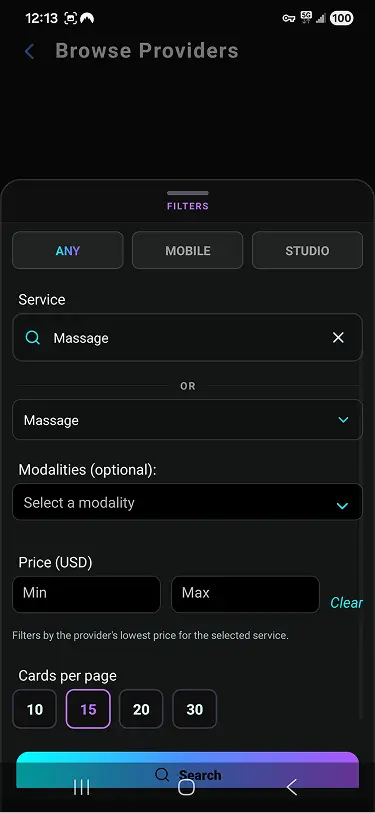
Search and discover nearby providers
Type any service — massage, personal training, home cleaning, photography — then set your location. Kleo instantly surfaces independent providers in your area.
- Filter by service category, price range, and distance
- Results sorted by proximity to your location
- Browse any of 50+ service categories
- Scroll through providers or search with a keyword
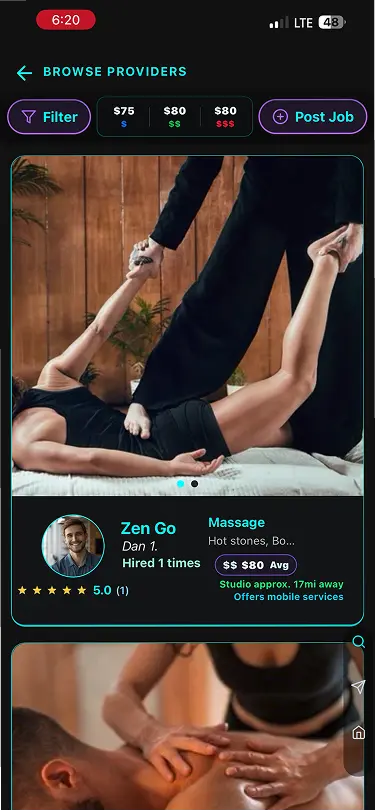
Compare provider profiles
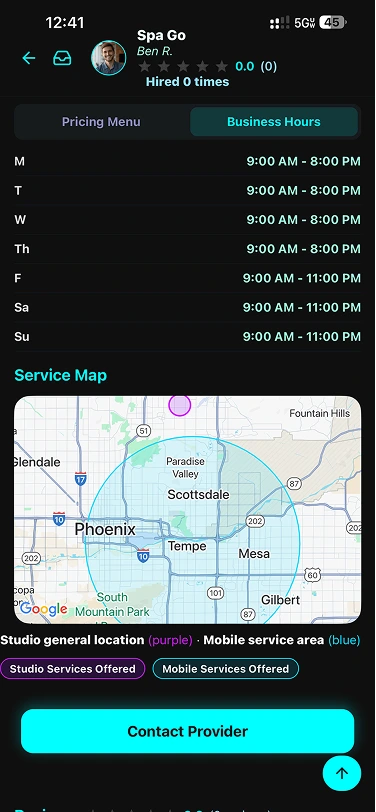
Each card shows a provider's name, service types, pricing, travel radius, and rating — everything you need to decide before reaching out.
- See pricing and service area at a glance
- Tap any card to open the full profile
- View photo galleries, reviews, and service menus
- Bookmark favourites for quick access later
Message privately, without sharing your number
Every conversation happens inside Kleo. No phone numbers, no personal emails — just a clean, secure chat that stays in the app.
- Reach out directly from any provider's profile
- Ask questions, discuss preferences, confirm details
- Personal contact info is never exposed
- Chat history is always available in the app
Confirm and book your session
Once you've agreed on the details in chat — time, location, what to bring — you're booked. All the information lives in that one thread so nothing gets lost.
- Agree on date, time, and location via chat
- Save the thread to review booking details anytime
- Rebook easily from your saved favourites
- Leave a review after to help providers and future clients
Providers are matched and ranked automatically based on your location and the service you searched for.
Smart category filters help you find exactly the right kind of provider, fast — out of 50+ service types.
Why choose Kleo
We built the things other platforms got wrong.
Connect personally — without exposing your number
- ✓Secure in-app messaging for every conversation
- ✓Discuss specifics before committing to a booking
- ✓Chat history always available in the app
- ✓No cold calls or exposing personal contact info
Lead-based pricing — never a flat subscription
- ✓Pay per connection, never a subscription
- ✓First 5 leads free during early access
- ✓50% off leads during our growth phase
- ✓Full transparency on lead cost before you accept
Secure all data — built in, not bolted on
- ✓No personal phone numbers or addresses shared
- ✓Encrypted in-app communications
- ✓Profile moderation for quality and safety
- ✓Provider and client verification processes

Hardened security
Trust is everything in a local services marketplace. Conversations and personal data stay protected — every step of the way.
Private messaging
You never need to share a personal phone number or email to connect.
Profile moderation
Listings go through moderation to keep the marketplace trustworthy.
Encrypted in transit
All communications are encrypted between your device and our servers.
Data minimization
We only collect what's needed. We never sell your data to advertisers.
Simple, fair pricing
No subscriptions, no hidden fees. Clients use Kleo for free — providers pay only when they gain a new client connection.

Kleo is completely free for clients. Browse, chat, and book without ever paying the app.
- Free to download on iOS & Android
- Unlimited profile browsing
- Secure in-app messaging
- Search filters & favorites
Your first 5 client connections are free, then 50% off all leads until we grow the user base.
- Free profile & service listing
- First 5 client leads — no charge
- 50% off leads during growth phase
- 2× leaderboard points (same expiry)
After early access, pay a per-lead fee when a new client connects — shown before you accept.
- No monthly subscription
- Lead cost shown before accepting
- Only pay for genuine new contacts
Getting started with Kleo
New to Kleo? Follow the steps for your role and you'll be up and running in minutes.
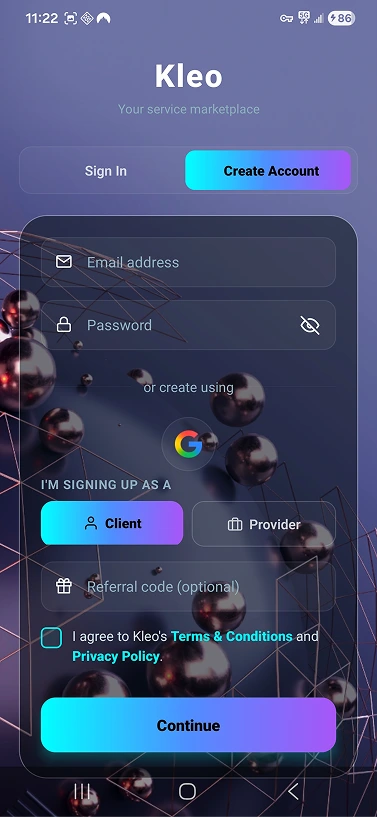
Download & create your account
Get Kleo free from the App Store or Google Play. Sign up with your email in under a minute.
- Search "Kleo" in the App Store or Google Play
- Tap Sign Up and enter your email
- Verify your email and set a password
- You're in — no subscription or payment needed
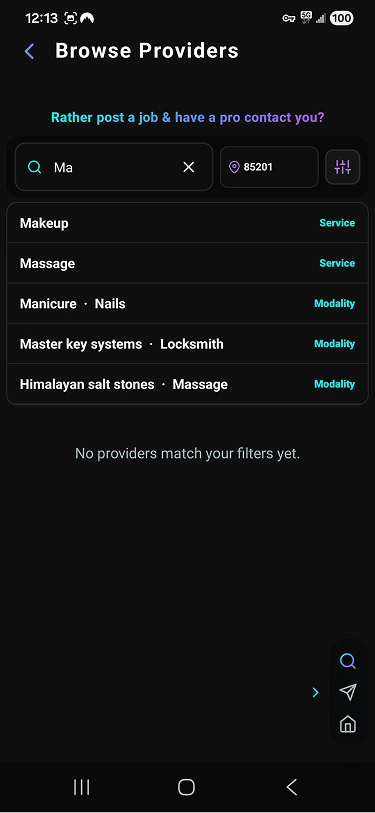
Search for a service
Tap the search bar and type a service — or browse by category. Set your zip code to find providers nearby.
- Search by keyword: "massage", "handyman", "yoga"…
- Set your location or zip code
- Filter by price range or distance
- Browse all available categories from the home screen
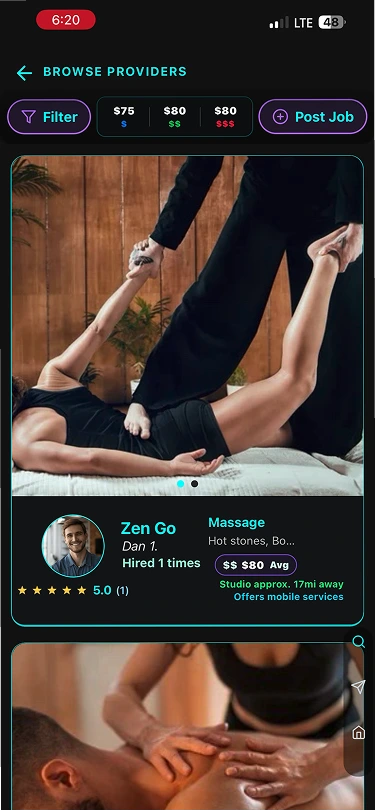
Browse provider cards
Scroll through results — each card shows the provider's name, service area, pricing, and rating at a glance.
- Compare providers side by side
- See pricing and travel radius upfront
- Tap any card to open the full profile
- Save favourites with the bookmark icon
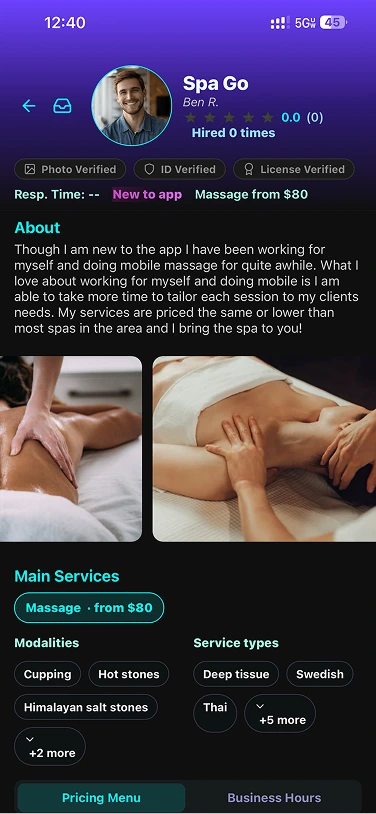
Review their full profile
Before reaching out, explore the provider's photos, service menu, reviews, and availability.
- View photo galleries and work examples
- Read past client reviews
- Check their exact service offerings and prices
- See their travel radius and availability notes
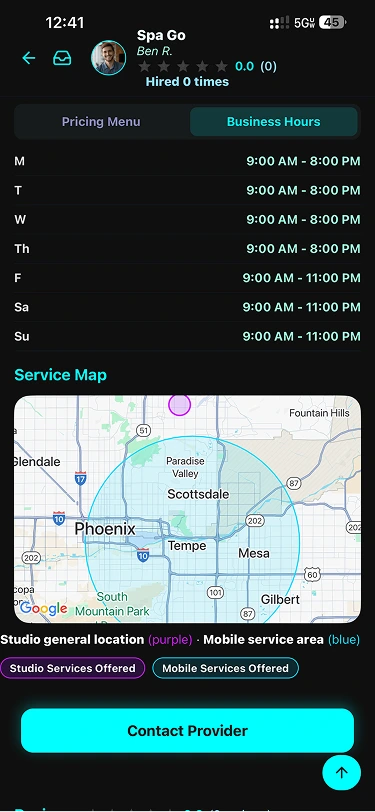
Start a secure chat & book
Tap Message to open a private chat. Ask questions, confirm details, and agree on a time — all without sharing your personal number.
- Chat privately inside the app
- Confirm date, time, location, and any preferences
- No personal contact info ever shared
- All conversation history saved in the app
Download & sign up as a provider
Get Kleo from the App Store or Google Play. During sign-up, choose "I'm a provider" to access the provider dashboard.
- Search "Kleo" in the App Store or Google Play
- Tap Sign Up and choose the provider role
- Verify your email and set a password
- No monthly fee — you pay only per client connection
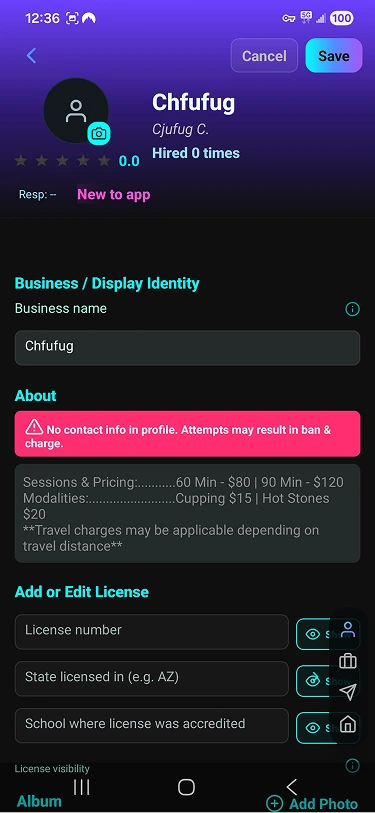
Build your business profile
Your profile is your storefront. Add a photo, write a bio, and fill out everything a client needs to choose you with confidence.
- Upload a professional profile photo
- Write a short bio describing your experience
- Add your travel radius and service area
- Include any certifications or credentials
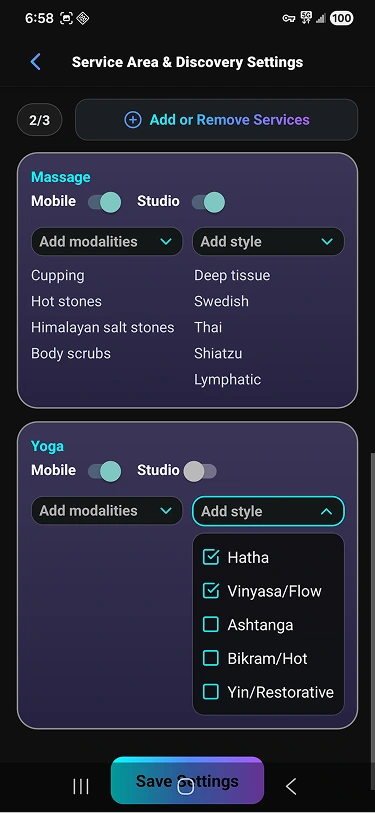
Add your services & pricing
Choose from 50+ categories and add each service you offer with a price. Clients can see your exact offerings before reaching out.
- Select your service categories
- Set a price for each service you offer
- Add service descriptions if needed
- Update or remove services anytime
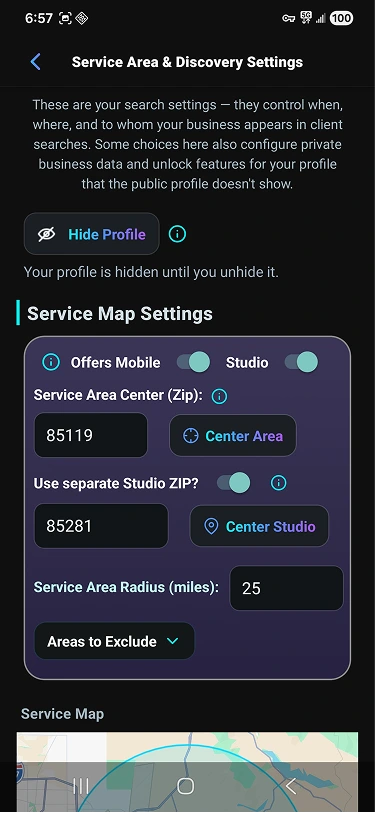
Set your preferences & availability
Let clients know what you offer and how you work — mobile, studio, or both. Set your availability and any booking requirements.
- Specify if you travel to clients or work from a location
- Set your service radius in miles
- Add availability notes or booking instructions
- Enable or pause new lead notifications anytime
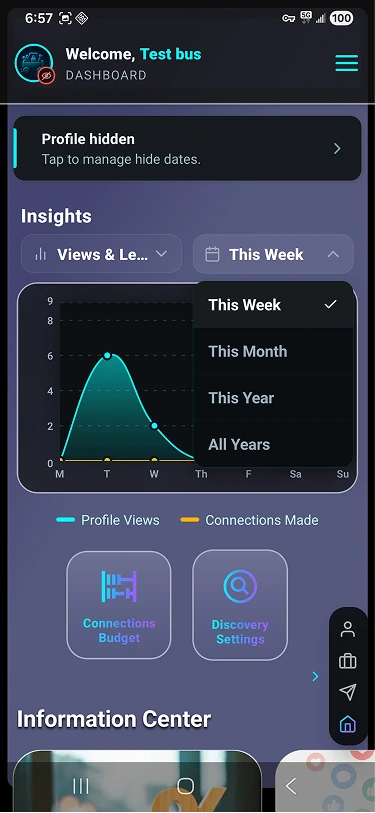
Receive leads & grow your client base
When a client messages you, you receive a lead notification. Accept the connection, pay the lead fee, and start the conversation.
- First 5 leads are free (early access)
- 50% off all leads during our growth phase
- Lead cost is shown before you accept
- Respond fast — clients value quick replies
Video tutorials
Tap a topic to expand and watch a short walkthrough.
Provider tutorials
Profile, services, discovery, and privacy controls.
Provider OverviewQuick tour of the provider dashboard and key tools.
Change your ServicesHow providers add/remove main services and keep discovery accurate.
Hide Provider ProfilePause discovery to stop new leads and charges.
Hide Profile DetailsControl what clients can see while keeping your profile active.
Client tutorials
Browse providers, message securely, manage requests.
Client OverviewHow clients browse providers, message, and manage requests.
Ready to give it a try?
Download Kleo free on iOS and Android. Clients always free — providers pay per connection.